
Why Cold Email Stopped Working — And How to Fix It for Good
Cold email worked. Then it stopped. For most founders and B2B teams who have been through this, the instinct is to blame the channel. That conclusion is almost always wrong. The channel works. The method behind it was always the problem.
 Konnektys TeamMay 7, 2026 · 12 min read · Cold Email Infrastructure
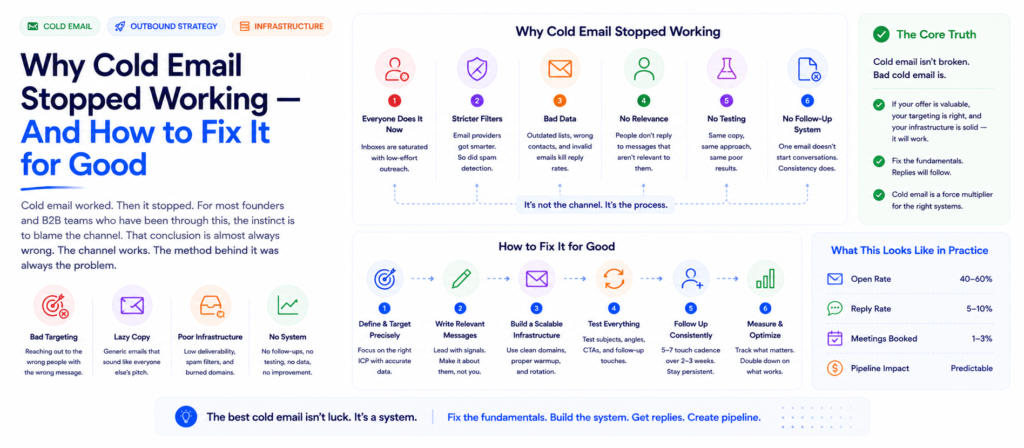
Most founders who say cold email doesn’t work have already proved that it does.
There was a campaign — usually early, usually manual, usually held together with a spreadsheet and willpower. It generated replies. Maybe a meeting. Maybe a client. And then, for reasons that felt practical at the time, it stopped.
Now they’re refreshing their inbox and posting more on LinkedIn, hoping something shakes loose. And sitting in the back of their mind is the memory of a method that once worked — that they chose not to repeat.
“The channel didn’t fail them. The method did.”
The Founder Who Already Proved It Works
A call last week with a founder running a small B2B agency. Strong service, strong close rate — when he gets someone on a call, he almost always wins the business. But for several months, his pipeline had been completely dry.
About a year ago, he had tried cold email. He did everything himself — wrote every email, found every contact manually, sent each one from his own Gmail account. No tools, no automation, no sequences. Just him, a spreadsheet, and a lot of copy-pasting.
The results, before he stopped:
By any honest measure, that’s a successful proof of concept. A 5% reply rate is solid. Converting one of those replies into a paying client is exactly what cold email is supposed to do. The math worked. The channel worked.
Then he stopped. And it wasn’t because the emails weren’t converting.
Why He Stopped — And Why It Had Nothing to Do With Cold Email
He stopped for three specific reasons. None of them are about whether cold outreach works.
Domain risk. Every cold email sent from his primary @company.com domain was a small bet against its long-term deliverability. Bounces accumulate. Spam complaints accumulate. Enough of either and normal business emails — proposals, client updates, invoices — start landing in spam folders. His instinct that something was at risk was correct.
Tool discomfort. The cold email tools that promised to automate everything wanted DNS access to his domain. That made him uncomfortable. It’s a reasonable call — most founders in that situation make the same one. So he didn’t, and the automation never happened.
Manual effort wasn’t sustainable. Copy-pasting 50 emails a day — while writing proposals, delivering client work, managing relationships — was already competing with everything else that needed his attention. Eventually the manual sending lost. He went back to referrals.
Referrals are passive. You can’t decide on a Tuesday that you need three more clients this month and manufacture three warm introductions by Friday. Eventually the referrals slowed and he found himself where most founders find themselves: no pipeline, no scalable way to create one, and a channel that had already worked sitting completely untouched.
The method was painful. The channel wasn’t the problem.
The Proof of Concept vs. the System
There is a meaningful difference between a channel that doesn’t work and a method that can’t scale. Conflating the two is how most founders end up abandoning outreach that was actually generating results.
What this founder ran was a proof of concept. Manual sends from a personal inbox. No list verification. No warmup. No secondary domains. Contacts found by hand and tracked in a spreadsheet. That setup is enough to establish that the channel can produce replies and clients. It is not a system. It cannot be run indefinitely at volume.
Like borrowing an old car — low on oil, one flat tyre — to test a route to work. You got there. The route works. But the car barely made it. The question isn’t whether the route is good. The question is whether you’d make the same drive every day in a properly maintained vehicle.
That’s the situation most founders are in with cold email. They’ve already proven the route. They just haven’t built the vehicle.
The difference between the proof of concept and the system is infrastructure — five technical components that allow cold outreach to run at volume, continuously, without requiring manual effort per email and without putting the primary business domain at risk.
If you’re not yet sure whether cold email is the right channel for your business at all, our 5-point cold email qualification guide runs through the TAM, ICP, offer, and deal economics checks that answer that question first.
What Proper Cold Email Infrastructure Actually Includes
Cold email infrastructure is not a single tool. It is a technical stack — five components that need to work together for outreach to run reliably at any meaningful volume.
Component 1: Secondary Sending Domains
Instead of sending cold outreach from yourcompany.com, you set up two or three sending domains — variations like getyouragency.com or youragency.co — and route all cold outreach through those. Your primary domain stays completely clean.
Even if a batch of emails triggers a spam filter or lands a sending domain on a blocklist, your main business email — the one you send proposals from, the one clients reply to — is untouched. The outreach risk is fully separated from the business risk.
This is the single most important piece of cold email infrastructure, and it is the one most teams skip because it feels like unnecessary overhead until the day it very clearly is not.
Secondary domains also enable volume distribution — spreading sends across multiple domains reduces per-domain reputation exposure. As we cover in our cold email domain rotation guide, sending domains degrade after 90–120 days and need to be rotated before inbox placement collapses.
Email infrastructure setup manages this entire layer: domain procurement, DNS configuration (SPF, DKIM, DMARC), warmup, rotation scheduling, and inbox placement monitoring — so the infrastructure side never becomes a bottleneck for the campaign side.
Component 2: Domain and Inbox Warmup
New sending domains have no reputation. Without sending history, inbox providers — Gmail, Outlook, Yahoo — have no basis for trusting them, and mail from unestablished domains is treated with heavy suspicion by default.
Warmup is the process of building that trust through structured, low-volume, high-engagement sending that increases gradually over 3–4 weeks. The sends during warmup are not cold outreach — they are exchanges with other warmed accounts that generate the engagement signals that establish a positive reputation baseline.
Skipping or rushing warmup is one of the single most common reasons campaigns underperform from launch. The emails go out — but a significant percentage land in spam because the sending domain never earned the trust required to reach the primary inbox reliably.
Four weeks of proper warmup before any cold outreach begins. Teams that want to launch in week one consistently pay for it in the deliverability data from week four.
Component 3: Contact List Verification
Every email sent to an address that doesn’t exist generates a hard bounce. Bounce rates above 3–4% raise flags with inbox providers. Above 8%, you are actively damaging your sender reputation with every single send.
Verification — checking whether each address in your list is a valid, active inbox before the email is sent — is the operational step that keeps bounce rates where they need to be.
Email finding and verification handles this at the contact level. Combined with contact list building that constructs the list against a precise ICP, this layer means outreach is going to real people at real addresses.
B2B contact data decays at roughly 25–30% per year. A list that was verified six months ago has meaningful inaccuracy. Verification is not a one-time setup step — it’s a recurring pre-campaign requirement.
Component 4: Unified Inbox Management
When outreach runs across three or four different sending accounts — which it should, for volume distribution and domain protection — replies land in three or four different inboxes. If those inboxes are checked inconsistently, leads are being lost to response lag.
A warm prospect who replied on a Tuesday afternoon and didn’t hear back until Thursday morning has cooled significantly. Interest in cold outreach has a very short half-life. The window between “I’m curious” and “I’ve moved on” is measured in hours, not days.
A unified inbox routes all replies from all sending accounts into a single interface, with notification systems that flag new replies for fast response. Teams running outreach across multiple accounts without it are consistently losing warm leads to their own reply latency.
Component 5: Sequencing and Automation
The 250 emails that took the founder a full week of manual effort? With proper sequencing software, that volume goes out in an afternoon — scheduled, segmented, with follow-ups already queued and triggering automatically based on engagement behaviour.
More importantly, it runs again the next day. And the day after. Consistent, sustained volume over weeks and months is where outbound pipelines are actually built. One burst of manual effort followed by silence is not a cold email programme. It is a cold email moment.
Automation is also what makes follow-up systematic. As covered in our breakdown of why outbound campaigns fail, 60–80% of cold email replies come from follow-up touches — not the first email. A manual sender will follow up sometimes, when they remember. An automated sequence follows up every time, on schedule, with a different angle on each touch.
What Happens Technically When Each Component Is Missing
It helps to be specific about the actual failure mode each missing component creates — because the damage is rarely visible in real time. It accumulates silently until the campaign stops working entirely.
No secondary domains: Cold outreach volume and risk run directly through the primary business domain. Every bounce, every spam complaint, every blocklist entry affects the deliverability of every email the business sends — not just cold outreach. Proposals, client updates, and follow-ups increasingly land in spam without the sender ever knowing.
No warmup: Gmail and Outlook route a high percentage of outbound mail from new, unestablished domains to spam or promotions automatically. The common misdiagnosis is that the copy isn’t working. The actual problem is that almost nobody read it.
No list verification: Hard bounces accumulate from the first campaign. By the third or fourth campaign on an unverified list, the domain is flagged. High bounce rates and spam complaints from irrelevant or recycled addresses create a reputation hole that’s impossible to climb out of without rotating to fresh infrastructure entirely.
No unified inbox: Warm replies go unanswered for 24–48 hours. In that window, prospects book a call with the competitor who responded first, or simply move on. The lead was generated. The conversion didn’t happen.
No automation: Sending volume is capped at whatever one person can manage manually alongside their other responsibilities. Follow-ups are inconsistent. The sequence stops whenever the sender is busy, which is often. The effective volume of a manual cold email programme is always lower than it appears on paper.
The Compounding Reputation Problem Nobody Warns You About
The infrastructure failures above are not independent. They compound.
A domain with no warmup that starts sending from an unverified list generates bounces and spam complaints simultaneously. Each of those factors independently would damage the sending reputation. Together, they accelerate the damage exponentially.
Within weeks — sometimes days at volume — the sending domain is effectively blacklisted. Inbox placement collapses. Not gradually. Quickly. What was a functioning (if fragile) outreach operation becomes a campaign that is generating sends but delivering nothing.
The founder in this story stopped before this happened — his instincts about domain risk were correct — but this is the endpoint for most founders who push the manual setup harder. They send more, because the results have been sparse. Sending more at high bounce rates accelerates the reputation damage. They push harder. The results get worse. They conclude cold email doesn’t work.
It worked. The infrastructure sabotaged it.
The path back from a burned domain is not rehabilitation — it’s replacement. There is no reliable way to restore a domain that inbox providers have fingerprinted as a commercial spam sender. New domains, new warmup, clean lists, and a rotation schedule that prevents the cycle from repeating.
What to Do If You’ve Already Burned a Domain
Step 1: Audit current domain health
Run every active sending domain through an inbox placement tool (GlockApps or MXToolbox). Document the inbox placement rate for each. Anything below 60% is already degraded.
Step 2: Quarantine the primary domain from cold outreach immediately
Not gradually — immediately. Every additional cold send from a damaged primary domain makes the business email problem worse.
Step 3: Purchase secondary domains and begin warmup
Account for the 4-week warmup period. New domains cannot be deployed for cold outreach until warmup is complete. There is no shortcut.
Step 4: Verify and clean the contact list before resuming
Resuming sends from fresh infrastructure on an unverified list burns the new domains at the same rate the old ones were burned. Email finding and verification and CRM cleaning are prerequisites for the relaunch — not optional cleanup.
Step 5: Establish a rotation calendar
90 days is the reliable shelf life of a cold email sending domain. New domains need to be in warmup before the previous ones hit that threshold. The rotation is calendar-driven, not performance-driven — if you’re waiting for deliverability to drop before rotating, you’ve already lost 4–6 weeks of pipeline.
The Pipeline Math: Doing It Wrong vs. Doing It Right
Let’s use the founder’s actual numbers as a baseline and model what proper infrastructure would have changed.
Proof of Concept (What He Did)
- • 250 emails sent over a full week of manual effort
- • 5.2% reply rate = 13 replies
- • 1 client signed
- • Unsustainable. Stopped after initial run.
With Proper Infrastructure
- • 300–500 emails per day, automated
- • 5–7% reply rate maintained through verified lists
- • 1,500 emails/week → 75 replies/week
- • ~1 new client per week from cold email alone
That’s not a projection of heroic results. It’s the same reply rate and the same close rate he already achieved — applied to a volume that a proper infrastructure can actually sustain.
The difference between one client from a week of effort and a repeatable weekly pipeline is not the copy, the targeting, or the offer. It’s whether the infrastructure exists to sustain the volume.
What Scaling Cold Email Actually Looks Like
There’s a specific threshold below which cold email is a grind and above which it becomes a system. That threshold is roughly the point where automation replaces the majority of the manual work.
Under 50 emails/day Manual range
Possible without tooling but unsustainable as a primary pipeline activity. Useful for validating the channel and the offer, not for building a repeatable revenue function.
50–150 emails/day Semi-automated
Basic sequencing software, one or two secondary domains, manual reply handling. Where most small B2B teams should start when moving from manual to systematic. Sufficient to generate consistent pipeline for businesses with deal sizes above $2,000 ACV.
150–500 emails/day Fully automated
Multiple secondary domains in rotation, verified lists refreshed regularly, full sequence automation, unified inbox, and CRM integration. Cold email becomes a function — something that runs predictably and produces predictable pipeline.
500+ emails/day Scaled outbound
Enough secondary domains to distribute volume, a rotation pool always ready, AI-powered lead research to maintain signal quality, and dedicated reply handling. End-to-end B2B lead generation manages the full stack at whatever volume makes sense.
At each level, the gap between what the infrastructure can support and what the team is trying to send determines whether the programme produces results or burns itself out.
| Without Infrastructure | With Infrastructure |
|---|---|
| ❌ Sending from primary domain, full outreach risk absorbed | ✅ Secondary domains protect primary email entirely |
| ❌ Emails landing in spam with no warmup history | ✅ Warmed inboxes with 4 weeks of established sender trust |
| ❌ 8%+ bounce rate actively damaging reputation per campaign | ✅ Verified lists keeping bounces consistently under 2% |
| ❌ Replies scattered across inboxes, response 24–48hrs late | ✅ Unified inbox, replies handled within hours |
| ❌ 250 emails taking a full week of manual effort | ✅ 500+ emails per day, automated, running continuously |
| ❌ Unsustainable — burns out in weeks or months | ✅ Runs as a system without founder involvement per send |
| ❌ No rotation — domain degrades and isn’t replaced | ✅ 90-day rotation schedule, fresh infrastructure always ready |
FAQ: Cold Email Infrastructure Questions Answered
What is cold email infrastructure?
+
Why did my cold email work once and then stop? +
Why do I need secondary domains for cold email?
+
How long does email warmup take?
+
What is a safe bounce rate for cold email?
+
How many cold emails can I send per day safely?
+
What happens if I skip domain warmup?
+
How often should sending domains be rotated?
+
Can I run cold email without automation tools?
+
What should I check before relaunching cold email after a break?
+
Konnektys Team
B2B Growth & Outbound Specialists
Konnektys builds and operates outbound revenue engines for B2B companies — from ICP definition and LinkedIn prospecting to AI-powered lead research, email infrastructure, and fully managed outbound campaigns.
You Already Proved the Route Works
The founder didn’t need a new channel. He didn’t need to rethink his ICP or rewrite his offer. He needed the infrastructure that was always supposed to be behind the method he’d already validated.
A 5% reply rate and one signed client from a manual proof of concept is more signal than most teams get before they decide to invest in the channel properly. He had it. He just didn’t know what to do with it.
If your pipeline has gone quiet and you know cold email moved the needle before — even once, even slightly — the channel isn’t the problem. The infrastructure is.
Need a consistent pipeline of qualified outbound leads? We’ll build and manage the full cold email infrastructure for you.
Talk to Konnektys →Share this article:
Related articles
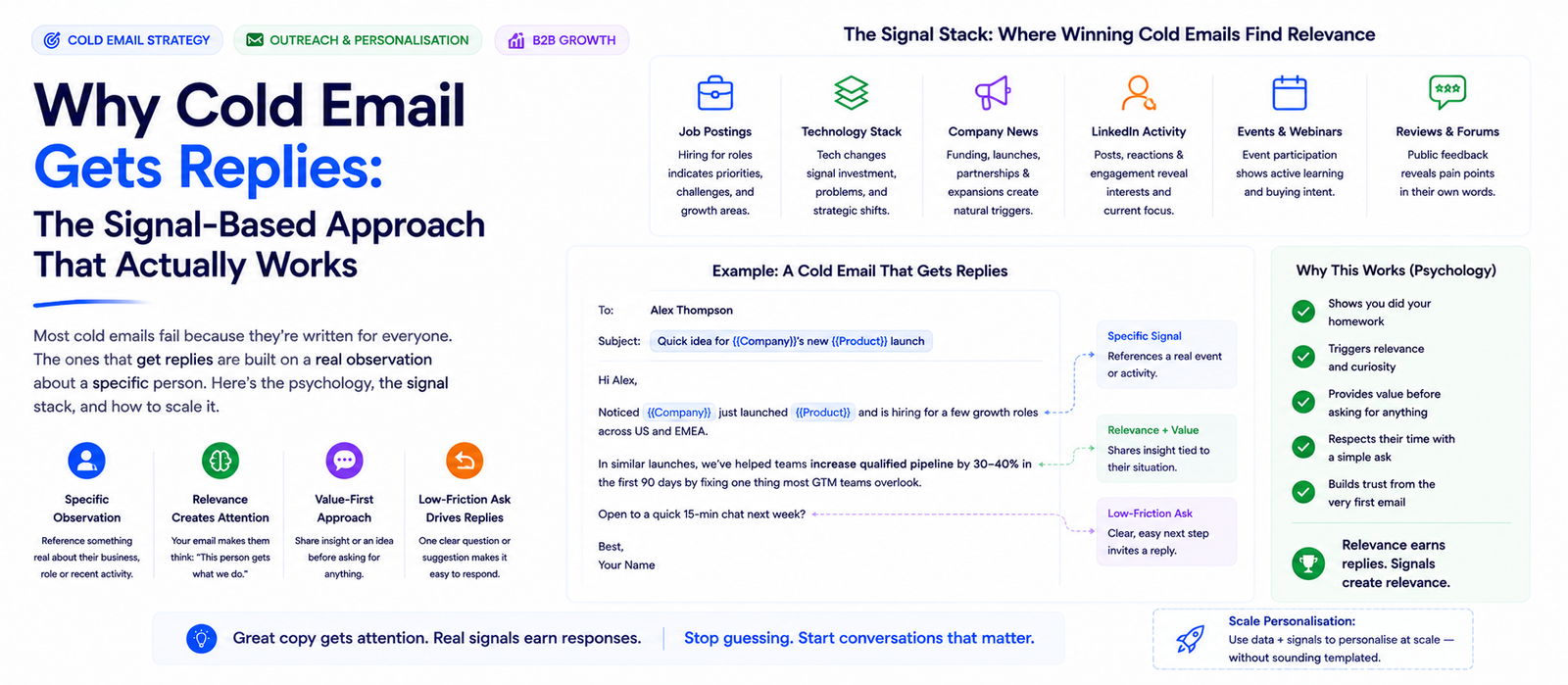
Why Cold Email Gets Replies: The Signal-Based Approach That Actually Works
Konnektys Team · 23 May, 2026
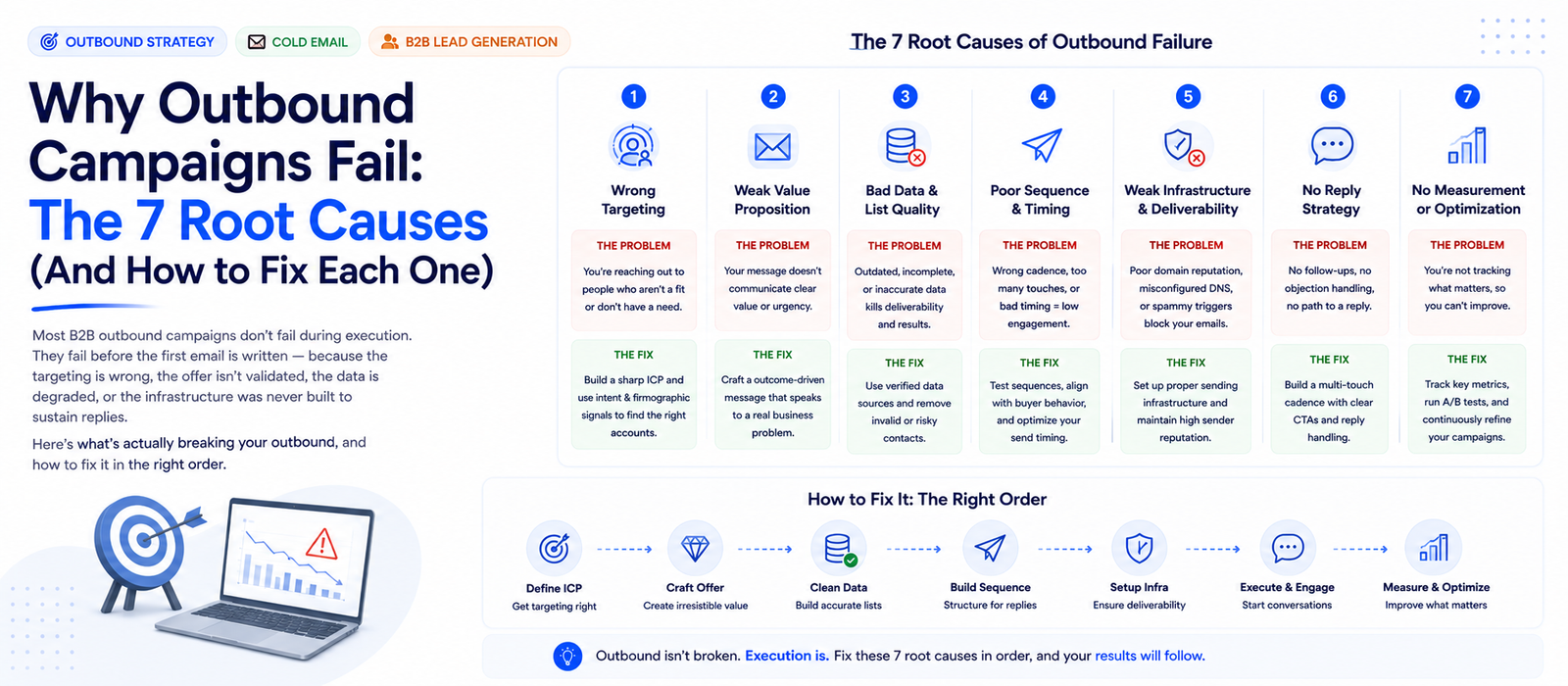
Why Outbound Campaigns Fail: The 7 Root Causes (And How to Fix Each One)
Konnektys Team · 7 Jun, 2026
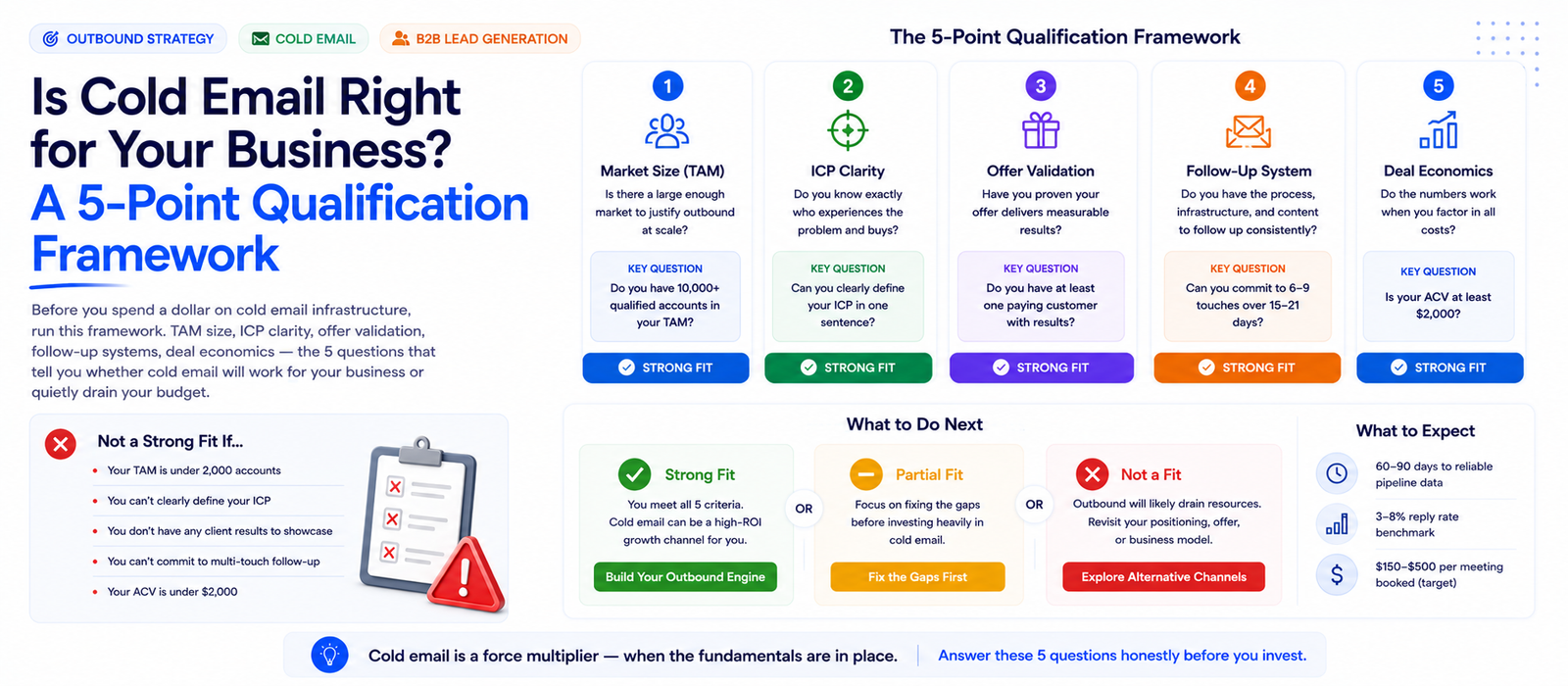
Is Cold Email Right for Your Business? A 5-Point Qualification Guide
Konnektys Team · 16 May, 2026